In an era defined by information overload, the tools you use to capture, connect, and retrieve knowledge can significantly impact your productivity. Whether you are a student, a developer, a researcher, or a team manager, having the right AI knowledge management tools in your workflow directly impacts how efficiently you think and work.
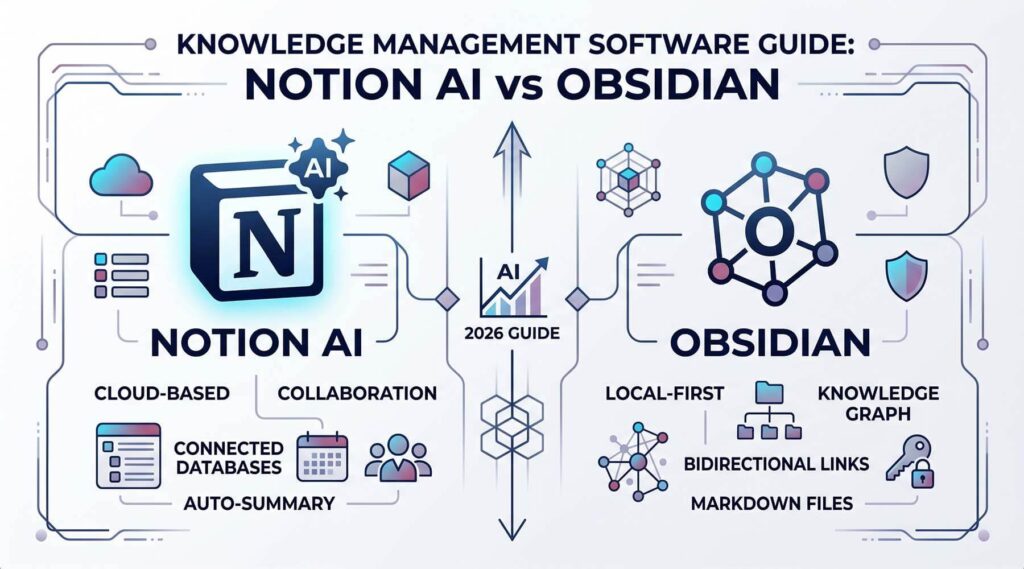
Two platforms dominate the conversation in 2026: Notion AI and Obsidian. Both are powerful, but they serve fundamentally different philosophies. This knowledge management software guide cuts through the noise, providing a clear, data-backed comparison to help you make the right choice.
This AI note-taking software review covers everything from core features and data privacy to pricing models and specific use-case recommendations. By the end, you will know exactly which tool — or combination of tools — belongs in your workflow.
1. Notion AI: Overview, Features & Advantages
What Is Notion AI?
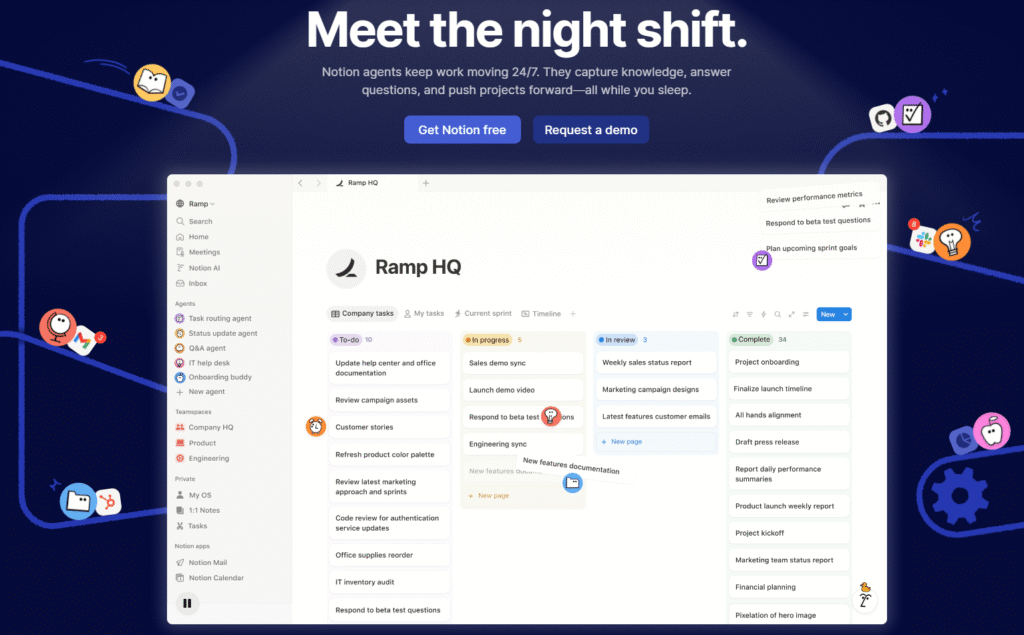
Notion AI is the AI-enhanced layer built on top of Notion, one of the world’s most popular all-in-one workspace platforms. Notion combines documents, databases, wikis, kanban boards, calendars, and project management into a single cloud-based environment. With the addition of a native AI assistant, it has become one of the leading AI knowledge management tools available today.
Notion AI can generate text, summarize long documents, translate content, extract action items, answer questions about your workspace data, and even auto-fill database fields. All of this happens without leaving the app, making Notion workflow optimization remarkably seamless.
Core Features of Notion AI
• Documents & Pages: Rich text editing with nested pages, toggles, callouts, and multimedia embeds.
• Databases: Highly flexible tables that support Kanban, Gallery, Timeline, and Calendar views.
• Native AI Assistant: Summarize, generate, translate, and query your content using natural language.
• Real-Time Collaboration: Multi-user editing, inline comments, and granular permission controls.
• Cloud Sync: Automatic synchronization across all devices with zero manual configuration.
• Template Library: Hundreds of community and official templates for every workflow imaginable.
Notion AI Advantages
All-in-One Workspace: One of the defining advantages of Notion AI is the elimination of app switching. Notes, tasks, databases, and project boards all coexist in one environment. For teams that need a shared source of truth, this integration is invaluable.
AI-Powered Content Generation: Notion AI can draft meeting notes, generate project summaries, write first drafts of documents, and answer questions grounded in your actual workspace data. This dramatically accelerates Notion workflow optimization for both individuals and teams.
Collaboration-First Design: Real-time multi-user editing, inline comments, @mentions, and role-based permissions make Notion the go-to choice for team project management. No other tool in this comparison matches it for out-of-the-box collaboration.
Beginner-Friendly UI: The visual, drag-and-drop interface and extensive template library mean new users can be productive within minutes. Compared to Obsidian, the learning curve is significantly gentler.
Notion AI Disadvantages
• Limited offline functionality — core features require an internet connection.
• Less customizable for power users who want to build deeply personalized workflows.
• Data is stored on Notion’s proprietary cloud, raising concerns about vendor lock-in and long-term data portability.
• AI features are an add-on, adding to the monthly cost.
2. Obsidian: Overview, Features & Advantages
What Is Obsidian?
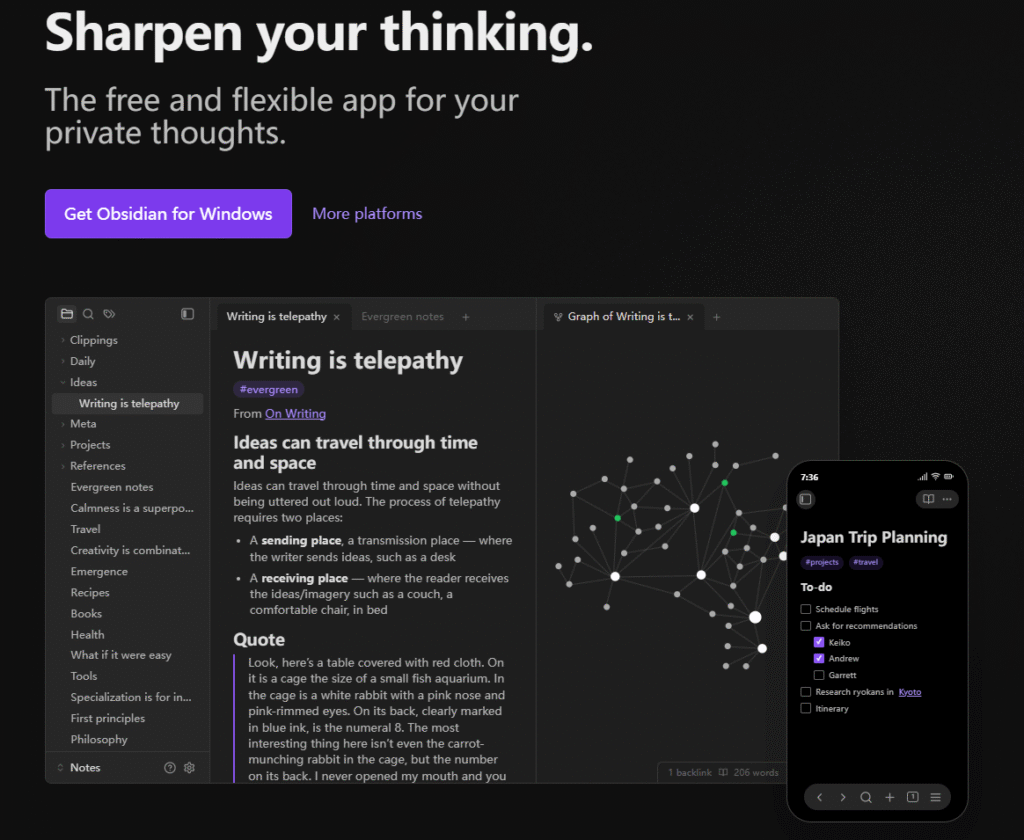
Obsidian is a local-first, plain-text knowledge management application that stores all notes as standard Markdown (.md) files on your device. Often called a ‘second brain’ tool, it is built for users who want complete ownership of their data and the ability to build a deeply interconnected personal knowledge network.
Obsidian’s knowledge management philosophy centers on longevity and flexibility: your notes are plain text files that will be readable by any text editor for decades, and the app’s behavior can be radically customized through its thriving plugin ecosystem.
Core Features of Obsidian
• Markdown Editing: Clean, distraction-free writing in standard Markdown format.
• Bi-Directional Links: Create [[links]] between notes to build a connected web of knowledge.
• Graph View: A visual map that shows the relationships between all your notes at a glance.
• Local Storage: All files stored on your device — no forced cloud dependency.
• Plugin Ecosystem: Over 1,000 community plugins covering everything from spaced repetition to AI integration.
• Themes & CSS Customization: Complete control over the visual appearance of your workspace.
Obsidian Plugin Recommendations
One of Obsidian’s greatest strengths is its plugin ecosystem. Here are the top Obsidian plugin recommendations for different workflows:
• Dataview: Query your notes like a database using simple code blocks. Essential for power users who want dynamic dashboards.
• Templater: Create sophisticated, dynamic note templates with scripting support.
• Obsidian Git: Automatically back up your vault to a private GitHub repository — a free alternative to Obsidian Sync.
• Smart Connections: Brings AI-powered semantic search and note suggestions to Obsidian, partially bridging the AI capabilities gap with Notion AI.
• Excalidraw: Embed hand-drawn diagrams and visual thinking directly inside your notes.
• Spaced Repetition: Turn your notes into flashcards for active recall — a favorite among students and researchers.
Obsidian Advantages
Local-First & Private: Your data never leaves your device unless you explicitly choose to sync it. For researchers, lawyers, doctors, and anyone handling sensitive information, this is a critical Obsidian knowledge management advantage.
True Data Ownership: Because notes are stored as plain Markdown files, you have zero dependency on Obsidian as a company. Even if the app stopped being developed tomorrow, your notes would remain perfectly accessible.
Extreme Customizability: Between Obsidian plugin recommendations, CSS themes, and custom hotkeys, power users can build a workflow that exactly matches how they think — something no other tool fully enables.
Superior Performance: Because everything is local, note opening and searching is near-instant, even with tens of thousands of notes. This makes it a favorite for researchers and developers with large knowledge bases.
Obsidian Disadvantages
• Steep learning curve — Markdown, plugins, and vault organization all require upfront investment.
• No native real-time collaboration — sharing and working simultaneously with others is cumbersome.
• AI features require manual plugin setup and an external API key (e.g., OpenAI).
• Official sync service is paid; free alternatives require technical setup.
3. Notion AI vs Obsidian: Head-to-Head Comparison
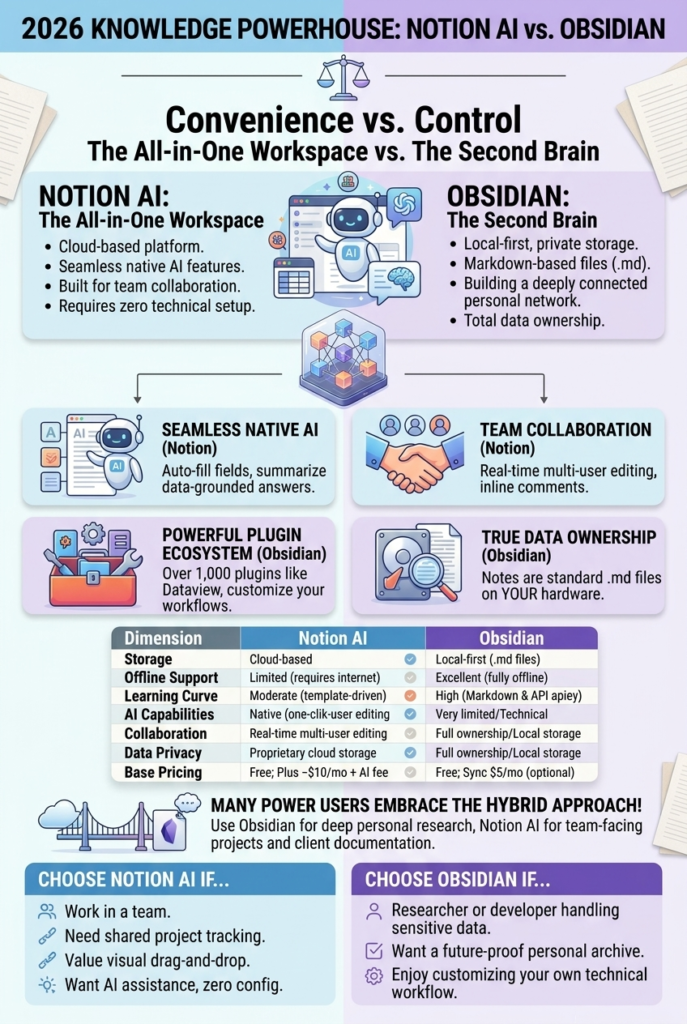
The Notion vs Obsidian comparison ultimately comes down to a single core trade-off: Convenience vs. Control. Here is a full breakdown across all key dimensions:
| Dimension | Notion AI | Obsidian |
| Storage | Cloud-based (limited local cache) | Local-first (plain Markdown files) |
| Offline Support | Limited — requires internet for most features | Excellent — fully offline by default |
| Learning Curve | Moderate — rich templates lower barrier | High — Markdown & plugin knowledge needed |
| Sync | Free cloud sync included | Paid official Sync or DIY third-party |
| AI Capabilities | Native Notion AI (generate, summarize, query) | Plugin-based (e.g. Smart Connections + API key) |
| Collaboration | Real-time multi-user editing, comments, permissions | Very limited — no native real-time collaboration |
| Data Ownership | Proprietary cloud storage | Full ownership — standard .md files |
| Pricing (base) | Free tier; Plus ~$10/mo; AI add-on ~$10/mo | Free (core); Sync $5/mo ($4/mo annually); Publish $10/mo ($8/mo annually) |
| Best For | Teams, students, project managers | Developers, researchers, PKM enthusiasts |
Ease of Use
Notion wins this category clearly. Its drag-and-drop interface, visual block editor, and rich template library allow new users to build functional workspaces within minutes. Productivity with note-taking apps starts from day one.
Obsidian requires a steeper initial investment. Users must learn Markdown syntax, understand vault structure, research and install relevant plugins, and develop their own organizational system. The payoff is enormous for those who invest the time, but it is a real barrier for casual users.
AI-Assisted Functionality
Notion AI is the clear winner for out-of-the-box AI capabilities. As a native feature, it requires no setup — just click and ask. It can summarize pages, generate content, answer questions about your data, and auto-fill database properties.
Obsidian’s AI capabilities are plugin-dependent. The Smart Connections plugin is the most popular option, but it requires you to supply your own API key and configure the settings. The experience is more flexible but far less accessible.
Collaboration & Team Use
For team project management, Notion is the undisputed champion. Real-time collaborative editing, granular permission levels, @mentions, and comment threads make it purpose-built for teams. Notion workflow optimization for groups is one of its strongest selling points.
Obsidian was built as a personal tool. While workarounds exist (shared vaults via Git, for example), they are technical and unsuited for non-developer teams.
Data Security & Privacy
Obsidian is the clear winner in privacy. Local-first storage means your data never touches an external server by default. For anyone handling confidential or sensitive data — a defining concern for Obsidian knowledge management enthusiasts — this is often a decisive factor.
Notion stores data on its cloud servers. While it offers enterprise-level security features for paid plans, the fundamental architecture means you are trusting a third-party with your information.
4. Use Case Recommendations
Choose Notion AI If You…
• Work on a team and need real-time collaboration and shared project tracking.
• Are a student, entrepreneur, or manager who wants an all-in-one workspace without technical configuration.
• Value a polished, visual interface and want AI assistance without any setup.
• Need to share documents or wikis with non-technical collaborators.
• Are building a company wiki, product roadmap, or content calendar.
Choose Obsidian If You…
• Are a developer, researcher, academic, or writer who values data ownership above all else.
• Handle sensitive, confidential, or proprietary information that should never leave your device.
• Want to build a deep, interconnected personal knowledge base that grows with you over decades.
• Enjoy customizing your tools and are comfortable with a technical setup process.
• Are worried about vendor lock-in or want your notes to be future-proof.
Use Both If You…
Many power users leverage both tools in tandem: Obsidian for deep personal research and knowledge synthesis, and Notion AI for team-facing project management, shared documentation, and client-facing workflows. This hybrid approach captures the Notion AI advantages for collaboration while preserving the privacy and depth of Obsidian knowledge management.
5. Frequently Asked Questions (FAQ)
Q1: Is Notion AI worth paying for?
Yes — for team users or anyone who wants AI assistance without technical setup, Notion AI is worth the additional cost. The native integration means zero friction, and features like document summarization and database auto-fill save significant time. However, if your primary use case is personal note-taking, Obsidian with a free AI plugin may be sufficient.
Q2: Is Obsidian really free?
The core Obsidian app is free for personal use. However, the official Obsidian Sync service is paid, costing $5/month per user when billed monthly, or $4/month when billed annually. Obsidian Publish ($10/month, or $8/month annually) is also paid. Free sync alternatives exist using tools like Git, iCloud, or Dropbox, but these require technical setup.
Q3: Can Obsidian replace Notion for team use?
Realistically, no. Obsidian has very limited native collaboration features. For teams that need real-time editing, shared databases, and permission management, Notion remains the far superior choice. Obsidian excels as a personal productivity tool or note-taking app, not a team collaboration hub.
Q4: Which is better for students — Notion AI or Obsidian?
Notion AI is generally better for students who want simplicity, while Obsidian is better for students doing deep research. For organizing class schedules, assignment trackers, and group projects, Notion is easier. For building a connected network of research notes using spaced repetition and linked concepts, Obsidian is unmatched.
Q5: What are the best AI knowledge management tools for 2026?
Notion AI leads for team collaboration and ease of use. Obsidian (with plugins) leads for personal knowledge management and privacy. Other notable AI knowledge management tools include Mem.ai (AI-first personal notes), Roam Research (bidirectional linking pioneer), Logseq (open-source, privacy-first), and Coda AI (spreadsheet-document hybrid). As an AI note-taking software review, the best tool ultimately depends on your specific workflow and priorities.
Q6: Does Obsidian have AI capabilities in 2026?
Yes, through plugins. The Smart Connections plugin is the most popular, enabling semantic search, note similarity suggestions, and AI chat with your vault. Copilot for Obsidian allows you to connect to various AI providers. These require your own API key but offer greater flexibility and model choice than Notion AI.
Q7: How do I migrate from Notion to Obsidian (or vice versa)?
Notion to Obsidian: Export your Notion workspace as Markdown, then import the files into an Obsidian vault. Some formatting and database views will be lost. Obsidian to Notion: Since Obsidian uses plain Markdown, you can import the files into Notion, though bidirectional links and graph view data won’t carry over.
6. Conclusion: Which Tool Is Right for You?
There is no single winner in the Notion vs Obsidian comparison — the right choice depends entirely on your priorities and workflow context. Here is the bottom line:
• Choose Notion AI if you value collaboration, visual design, and seamless AI assistance. It is the best note-taking software in 2026 for teams and users who want an all-in-one, cloud-synced workspace.
• Choose Obsidian if you value privacy, data ownership, and deep customization. It is the best note-taking productivity solution for researchers, developers, and knowledge workers who want full control.
As AI continues to reshape how we manage and interact with information, both platforms are evolving rapidly. Notion is pushing deeper into AI automation, while Obsidian’s plugin community is making local AI more accessible. Staying informed about both tools — and knowing when to use each — is a competitive advantage in itself.
Whichever tool you choose, the act of building a consistent knowledge management system will compound your productivity in ways that no single app choice ever could. Start with the tool that fits your current needs, and iterate from there.
“Enjoyed this guide? Pin it for later so you don’t lose it!”