
Introduction: I Was Drowning in Repetitive Work
Six months ago, I was working 60-hour weeks. Not because I had more clients or bigger projects—but because I was buried under repetitive tasks.
Every Monday morning alone consumed 6 hours on routine tasks, contributing to a total wasted time of 18+ hours every single week:
· 2 hours sorting emails
· 90 minutes copying data between tools
· 1 hour scheduling social media posts
· Another hour updating spreadsheets
· 30 minutes following up with leads
Then I discovered AI workflow automation. Not the theory—the actual implementation.
Today, those 18 hours are down to less than 2 hours. Here’s exactly how I did it.
What Is AI Workflow Automation? (Beyond the Buzzwords)
AI workflow automation uses artificial intelligence to execute multi-step processes without human intervention.
Here’s what makes it different from traditional automation:
| Traditional Automation | AI Workflow Automation |
| Follows rigid if-then rules | Understands context and intent |
| Breaks when data changes | Adapts to variations |
| Requires manual updates | Learns from patterns |
| Limited to simple tasks | Handles complex decisions |
Real example from my workflow:
Traditional automation sends the same email template to every lead.
AI automation reads their LinkedIn profile, analyzes their company, and generates a personalized message—automatically.
That’s the difference.
The State of AI Workflow Automation in 2026
Let’s look at what’s actually happening in the market.
Key Statistics
According to McKinsey’s 2025 AI Report:
· Companies implementing AI automation tools see a 35-45% reduction in process time
· 67% of knowledge workers now use AI daily
· ROI averages 3.5x within the first year
IBM’s Workflow Automation Study found:
· Businesses save $6,000 – $12,000 per employee annually
· Error rates drop by 40-60%
· Employee satisfaction increases by 28%
Gartner predicts that by the end of 2026:
· 80% of routine work will be automated
· AI smart assistant usage will grow 300%
The window is closing. Early adopters are pulling ahead fast.
My 3 Core Workflows: 18 Hours Saved Weekly
Let me show you the exact workflows I built.
Workflow 1: Content Research & Keyword Clustering
Before: 4 hours per article
After: 25 minutes
Savings: 3 hours 35 minutes per article
My Exact Automation Architecture:
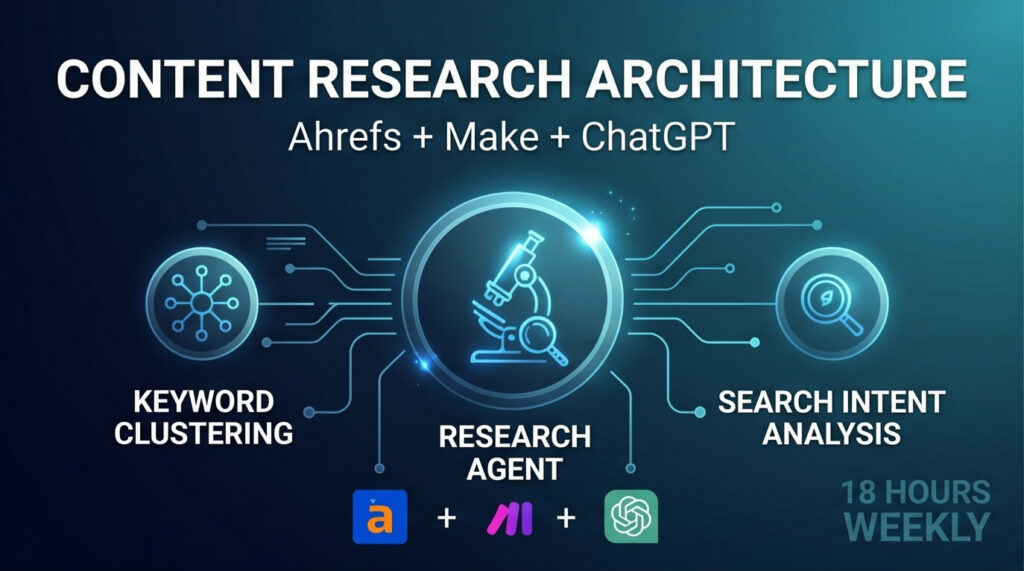
[ Trigger: Webhook / Schedule ]
│
▼
┌──────────────────────────────┐
│ 1. Make (Integromat) │ ──( Calls )──> [ Ahrefs API: Export Keywords ]
└──────────────────────────────┘
│
▼ (Receives raw keywords data)
┌──────────────────────────────┐
│ 2. ChatGPT API │ ──( Action )──> [ Cluster Keywords by Search Intent ]
└──────────────────────────────┘
│
▼ (Sends structured output)
┌──────────────────────────────┐
│ 3. Google Sheets │ ──( Action )──> [ Auto-Format Data Table ]
└────────────────────────────── push )
│
▼
[ 4. Slack Notification Sent ]
Tools Used: Ahrefs + Make + ChatGPT + Google Sheets
Cost: $39/month
Result: I can now research 10 articles in the time it used to take to research 2.
Workflow 2: Lead Generation & Outreach
Before: 12 hours weekly
After: 1.5 hours weekly (review only)
Savings: 10.5 hours
My Exact Automation Architecture:
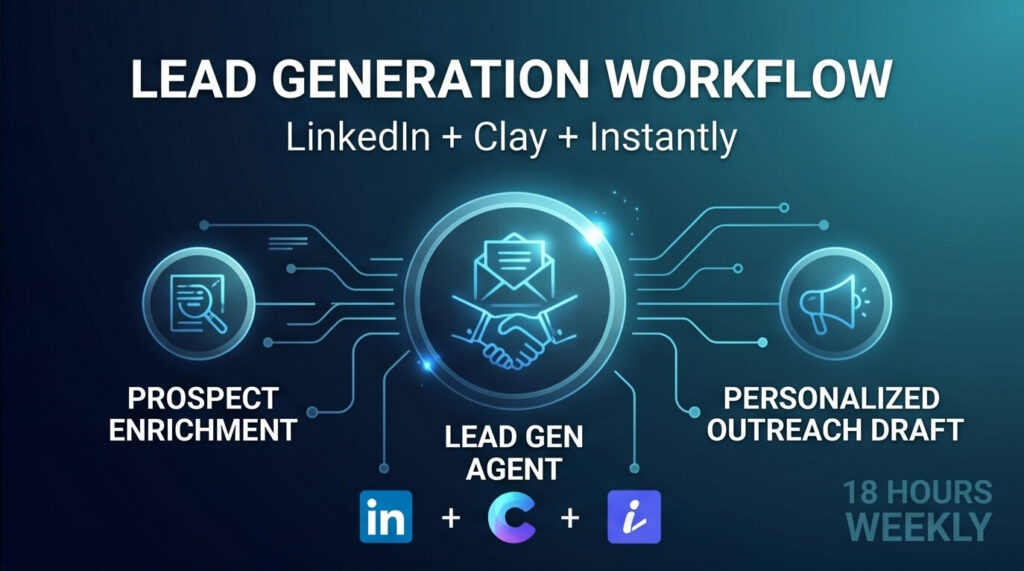
┌──────────────────────────────┐
│ 1. LinkedIn Sales Navigator │ ──( Find Prospects )──> [ Raw Lead List ]
└──────────────────────────────┘
│
▼
┌──────────────────────────────┐
│ 2. Clay.com │ ──( Action )──> [ Enrich Company Data & Verify Emails ]
└──────────────────────────────┘ (Filters out invalid emails first!)
│
▼ (Clean, high-intent data)
┌──────────────────────────────┐
│ 3. Gumloop AI Agent │ ──( Action )──> [ Scrape Websites & Identify Pain Points ]
└──────────────────────────────┘
│
▼ (Powered by ChatGPT API)
┌──────────────────────────────┐
│ 4. AI Copywriting Generation │ ──( Action )──> [ Draft Personalized Cold Emails ]
└──────────────────────────────┘
│
▼ (Needs Human Approval)
┌──────────────────────────────┐
│ 5. Instantly.ai │ ──( Action )──> [ Trigger Automated Cold Email Sequence ]
└──────────────────────────────┘
│
▼
[ Sync to HubSpot CRM ]
Tools Used: LinkedIn + Gumloop + ChatGPT + Clay + Instantly + HubSpot
Cost: $147/month
Result: From 20 manual emails per week to 200+ personalized, automated emails.
Real numbers: Response rate stayed at 18% (same as manual). But volume increased 10x.
Workflow 3: Social Media Content Pipeline
Before: 6 hours weekly
After: 45 minutes weekly
Savings: 5 hours 15 minutes weekly
My Exact Automation Architecture:
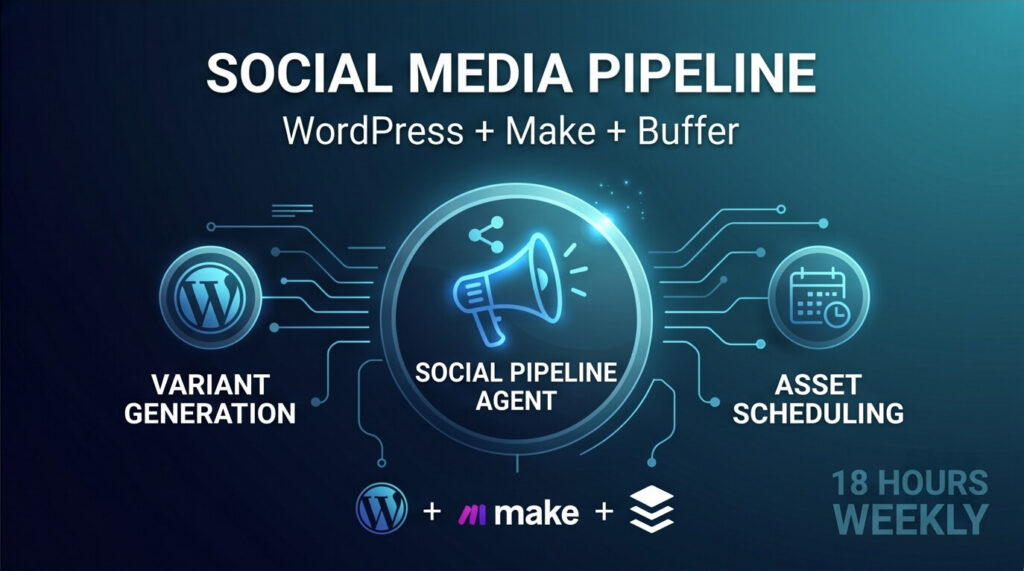
[ WordPress Post Published ] ──( Triggers )──> [ Make Webhook ]
│
▼
┌───────────────────┐
│ ChatGPT API │
└───────────────────┘
│
┌──────────────────────┴──────────────────────┐
▼ (Generate Copy) ▼ (Generate Prompt)
┌───────────────────────┐ ┌───────────────────────┐
│ 5x Social Variations │ │ DALL-E 3 API │
└───────────────────────┘ └───────────────────────┘
│ │
│ ▼ (Raw Image)
│ ┌───────────────────────┐
│ │ Bannerbear API │
│ │ (Auto-Add My Branding)│
│ └───────────────────────┘
│ │
└──────────────────────┬──────────────────────┘
│ (Merged Text + Visual Asset)
▼
┌─────────────────────────┐
│ Buffer API │
└─────────────────────────┘
│
▼
[ Scheduled: LinkedIn, X, Pinterest ]
Tools Used: WordPress + Make + ChatGPT + DALL-E + Bannerbear + Buffer
Cost: $68/month
Result: Every blog post automatically becomes 15 social media posts across 3 platforms.
Top AI Automation Tools: Real Comparison Based on 6 Months Testing
I’ve tested 12+ AI productivity tools. Here’s what actually works.
Complete Tool Comparison Table
| Tool | Best For | Free Plan | AI Capabilities | Learning Curve | Monthly Cost | My Rating |
| Zapier | Beginners | Yes (100 tasks) | ⭐⭐⭐ Medium | Easy | $20 – $70 | 8/10 |
| Make | Visual builders | Yes (1,000 ops) | ⭐⭐⭐⭐ High | Medium | $9 – $29 | 9/10 |
| Gumloop | AI agents | Limited (50 runs) | ⭐⭐⭐⭐⭐ Very High | Medium | $49–$199 | 9/10 |
| n8n | Developers | Yes (self-hosted) | ⭐⭐⭐⭐ High | Hard | $20 – $50 | 8/10 |
| Moveworks | Enterprise | No | ⭐⭐⭐⭐⭐ Very High | Easy | Custom | 9/10 |
My Top 3 Picks
1. Make (My Primary Tool)
What I use it for: 80% of my automations
Strengths:
· Visual workflow builder makes debugging easy
· Handles complex logic without code
· Excellent error handling
· Built-in AI modules (ChatGPT, Claude, Gemini)
· 1,500+ app integrations
Real use case: My content research workflow runs entirely on Make. It triggers every morning, processes 50+ keywords, and delivers a formatted spreadsheet by 9 AM.
Price: $29/month (10,000 operations)
Verdict: Best workflow automation tool for serious users.
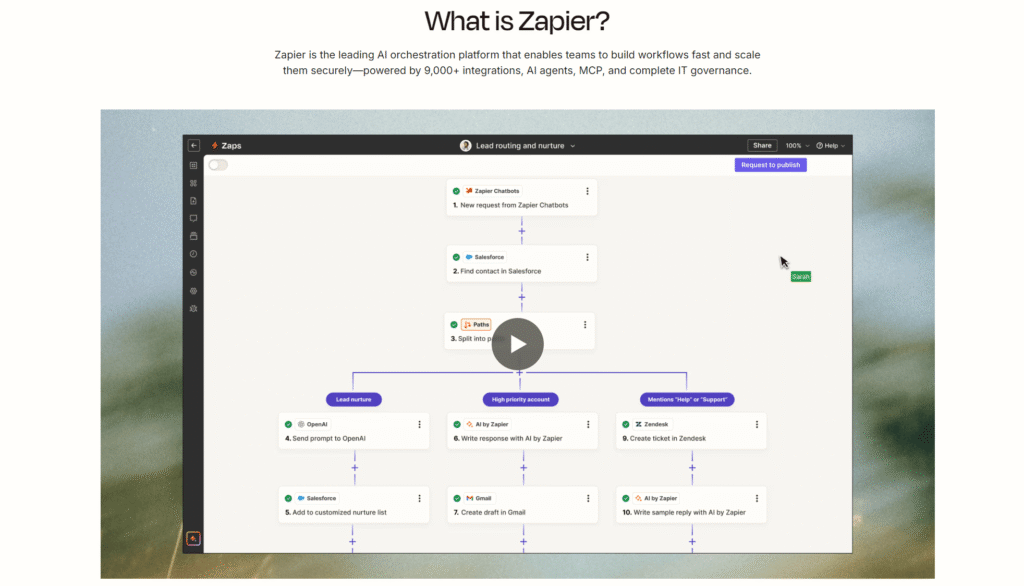
2. Zapier (Best for Beginners)
What I use it for: Simple app connections
Strengths:
· Easiest setup process
· Massive app ecosystem (6,000+)
· Great documentation
· AI-powered suggestions
· Reliable execution
Real use case: When someone fills out a Typeform, Zapier adds them to my email list, creates a Notion entry, and sends me a Slack notification.
Price: $20/month (Starter plan)
Verdict: Perfect low-code AI tool for non-technical users.
3. Gumloop (AI Agent Powerhouse)
What I use it for: Advanced AI automation
Strengths:
· True AI agents that make decisions
· Excellent for data enrichment
· Handles unstructured data beautifully
· Built specifically for AI workflows
Real use case: My lead generation workflow. Gumloop finds prospects, researches companies, identifies pain points, and drafts personalized outreach—without templates.
Price: $49/month (Starter plan)
Verdict: The future of AI office assistant automation.
Step-by-Step Tutorial: Automated Email Management
Let me walk you through building your first automation.
Goal: Automatically sort, label, and respond to emails
Time to build: 30 minutes
Time saved weekly: 3-5 hours
Tools needed: Gmail + Make + ChatGPT
Step 1: Set Up Make Scenario
1. Create a free Make account
2. Click “Create a new scenario”
3. Add trigger: “Gmail > Watch Emails”
4. Configure: Only emails to your inbox
Step 2: Add AI Analysis
Add module: “OpenAI ChatGPT > Create a Completion.”
Select your AI Model (e.g., gpt-4o) and ensure you set Response Format to JSON Object in the advanced settings.
In the Content box, enter the following prompt:
You are an email triage assistant. Analyze the incoming email provided below and classify it into the specified JSON schema.
[EMAIL DATA]
Subject: [Map the “Subject” variable from Gmail module]
From: [Map the “Sender > Email Address” variable from Gmail module]
Body: [Map the “Text content” variable from Gmail module]
[OUTPUT FORMAT]
Return ONLY a valid JSON object. Do not include any markdown formatting (like “`json), introduction, or explanation.
Follow this exact schema:
{
“category”: “work”, // Choose one: work, personal, newsletter, sales
“priority”: “high”, // Choose one: high, medium, low
“requires_response”: true, // Boolean: true or false
“suggested_reply”: “Draft a short polite reply if a response is needed, otherwise leave empty”
}
Step 3: Add Conditional Logic
1. Add Router
2. Create 4 paths:
o Path 1: Priority = high → Send Slack notification
o Path 2: Category = newsletter → Apply label + Archive
o Path 3: Requires_response = true → Draft reply in Gmail
o Path 4: Priority = low → Archive
Step 4: Test & Activate
1. Send yourself test emails
2. Watch Make process them
3. Adjust prompts as needed
4. Turn on scenario
Result: Every email is now processed within 2 minutes of arrival.
Simple ROI Calculator (Based on 18 Hours Saved)
Your hourly value: $50/hour
Hours saved weekly: 18 hours
Weekly value: $900
Monthly value: $3,600
Annual value: $43,200
Typical automation costs:
Tools: $100–$300/month
Setup time: 20–40 hours (one-time investment)
Breakeven: Usually 1–2 months
My actual numbers:
· Investment: $254/month in tools + 60 hours learning
· Return: $3,600/month in time value (using $50/hour rate)
· ROI: 14x and growing
Common Mistakes to Avoid
Mistake #1: Automating Broken Processes
What I did wrong: I automated my content approval process without fixing it first.
Result: Just got bad content faster.
Lesson: Fix the workflow manually first. Then automate the optimized version.
Mistake #2: Over-Engineering from Day One
What I did wrong: Built a 37-step workflow with 8 tools for lead generation.
Result: Broke constantly. Impossible to debug.
Lesson: Start with 3-5 steps. Add complexity only when needed.
Mistake #3: No Human Review for Critical Tasks
What I did wrong: Let AI send customer emails without review.
Result: One AI hallucination damaged a client relationship.
Lesson: Always have human approval for customer-facing and financial tasks.
The Future: What’s Coming in 2026-2027
Based on my testing of beta features and industry research:
Autonomous AI Agents
AI agents that work independently for hours without human intervention. Already available in Gumloop and AutoGPT.
Example: I’m testing an agent that monitors competitor websites daily, analyzes new features, and drafts strategy recommendations automatically.
Multi-Agent Collaboration
Multiple AI agents working together—one finds leads, another researches, another writes outreach, and another handles responses.
Timeline: Q3-Q4 2026
Natural Language Workflow Creation
Just describe what you want; AI builds the workflow.
Example: “When I get a negative customer email, create a Slack alert and draft an apology.” AI responds: “I’ve built that workflow. Want to test it?”
Timeline: Early versions available now (Make AI, Zapier AI Actions)
Frequently Asked Questions
What is the difference between RPA and AI workflow automation?
RPA (Robotic Process Automation): Follows fixed rules. Clicks buttons in a specific order. Breaks when UI changes.
AI workflow automation: Understands intent. Adapts to changes. Makes decisions based on context.
Example: RPA clicks “Reply” then types the template. AI reads the email, understands it, and generates an appropriate response.
Can AI workflow automation replace employees?
No—it replaces tasks, not people. I automated 18 hours of work but didn’t fire anyone. Instead, my team now focuses on strategy, complex problems, and relationships.
Automation makes people more valuable, not less.
Which AI automation tool is best for small businesses?
Start with Zapier if you’re non-technical. It’s $20/month and handles 90% of small business needs.
Upgrade to Make when you need complex logic or hit Zapier’s task limits.
Add Gumloop only when you need true AI agents (lead generation, data enrichment).
How much does workflow automation cost?
Small business (1-10 people): $50–$300/month
Mid-market (10-100 people): $500–$2,000/month
Enterprise (100+ people): $5,000–$50,000/month
My actual costs for solo operation: $254/month for all tools combined.
Can ChatGPT automate workflows by itself?
No. ChatGPT is excellent for content generation and decision-making, but it can’t:
· Connect to other apps
· Run on a schedule
· Handle conditional logic
· Store data
You need automated task management platforms like Make or Zapier to orchestrate ChatGPT with other tools.
Is my data safe with AI automation tools?
Reputable platforms are very secure:
· SOC 2 Type II certified (Make, Zapier, Gumloop)
· GDPR compliant
· Data encrypted in transit and at rest
· No training on your data (enterprise plans)
I run client data through these tools daily. Just use reputable platforms, enable 2FA, review permissions regularly, and use enterprise plans for sensitive data.
What skills do I need to build AI workflows?
Required: None. Zapier and Make are no-code.
Helpful:
· Basic logic thinking (if-then reasoning)
· Understanding APIs (comes quickly)
· Prompt engineering for AI tools
I had zero coding experience when I started. Within 3 months, I built 25+ workflows.
How do I measure automation ROI?
Track these metrics:
Time savings:
· Hours spent before automation
· Hours spent after automation
· Value of time saved (your hourly rate)
Quality improvements:
· Error rate before/after
· Customer satisfaction scores
· Task completion rate
Financial impact:
· Tool costs
· Time investment
· Revenue protected/generated
I use Airtable to track all automation metrics monthly.
Your Action Plan: Start Today
Here’s exactly what to do next:
This Week (3 hours total)
Day 1: Identify one repetitive task that wastes the most time
Day 2: Create a free Make or Zapier account
Day 3: Follow the email automation tutorial above
Day 4: Test with real data
Day 5: Monitor and adjust
Next Week
Once your first automation runs smoothly:
1. Add one new workflow
2. Document what works
3. Calculate time saved
This Month
· Build 3-5 core workflows
· Join Make Academy (free courses)
· Calculate your ROI
· Decide if you need to upgrade plans
Conclusion: The Automation Advantage Is Real
Six months ago, I was skeptical about AI workflow automation. It sounded like hype.
Today, I can’t imagine working without it.
My results:
· ✅ 18 hours saved weekly
· ✅ 3x more content published
· ✅ 10x more leads generated
· ✅ 40% reduction in errors
· ✅ Better work-life balance
Total investment: $254/month in tools + 60 hours learning time
Return: $3,600/month in time value
That’s 14x ROI—and growing.
AI productivity tools aren’t replacing workers. They’re eliminating the boring, repetitive work that prevents us from doing our best thinking.
You have two choices:
Option 1: Keep doing things manually
Option 2: Spend 1-2 weeks learning automation and save 10+ hours weekly forever
The companies and professionals embracing automation now will dominate their markets by 2027.
Don’t wait. Start today.
Pick one workflow from this article. Build it this week. Experience the transformation firsthand.
The future of work is automated. And it’s already here.